
For LG webOS 4.0 and newer TVs
Your own playlist, on the big screen.
Voxa Player is a modern media player for live TV, movies and series — built to be browsed with your remote. Add your M3U or Xtream playlist and start watching.
7-day free trial · No card needed
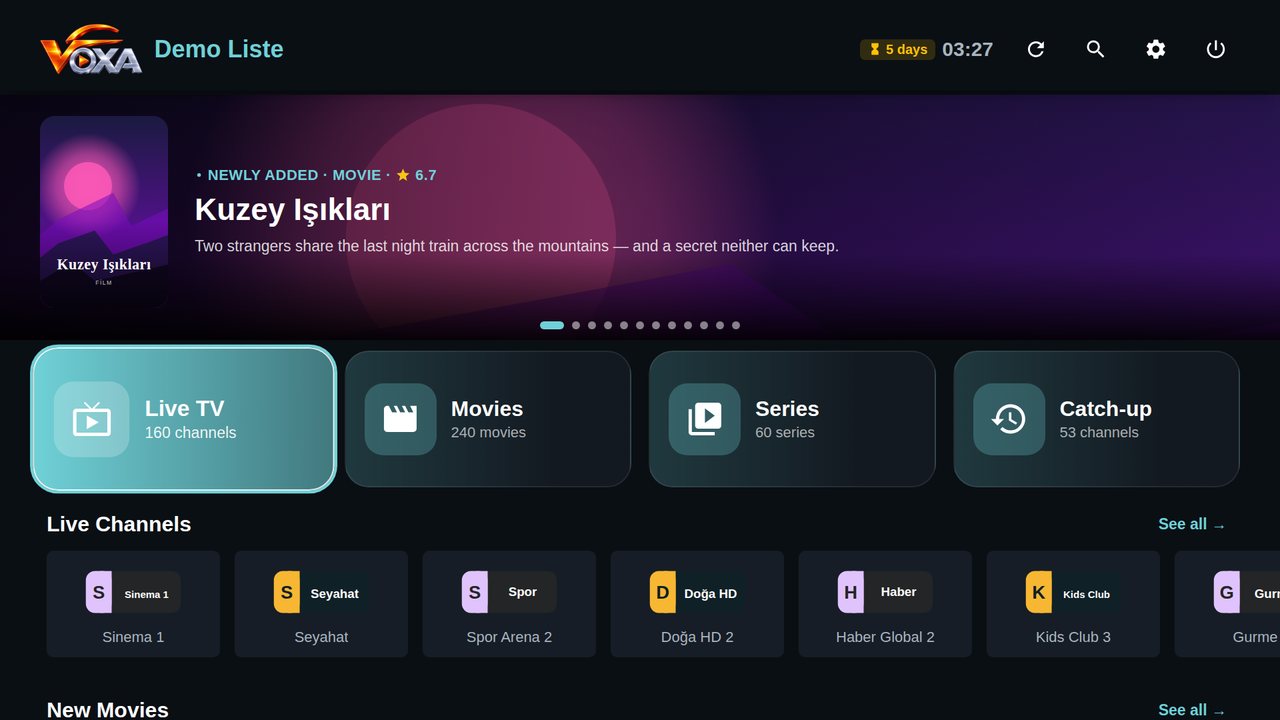
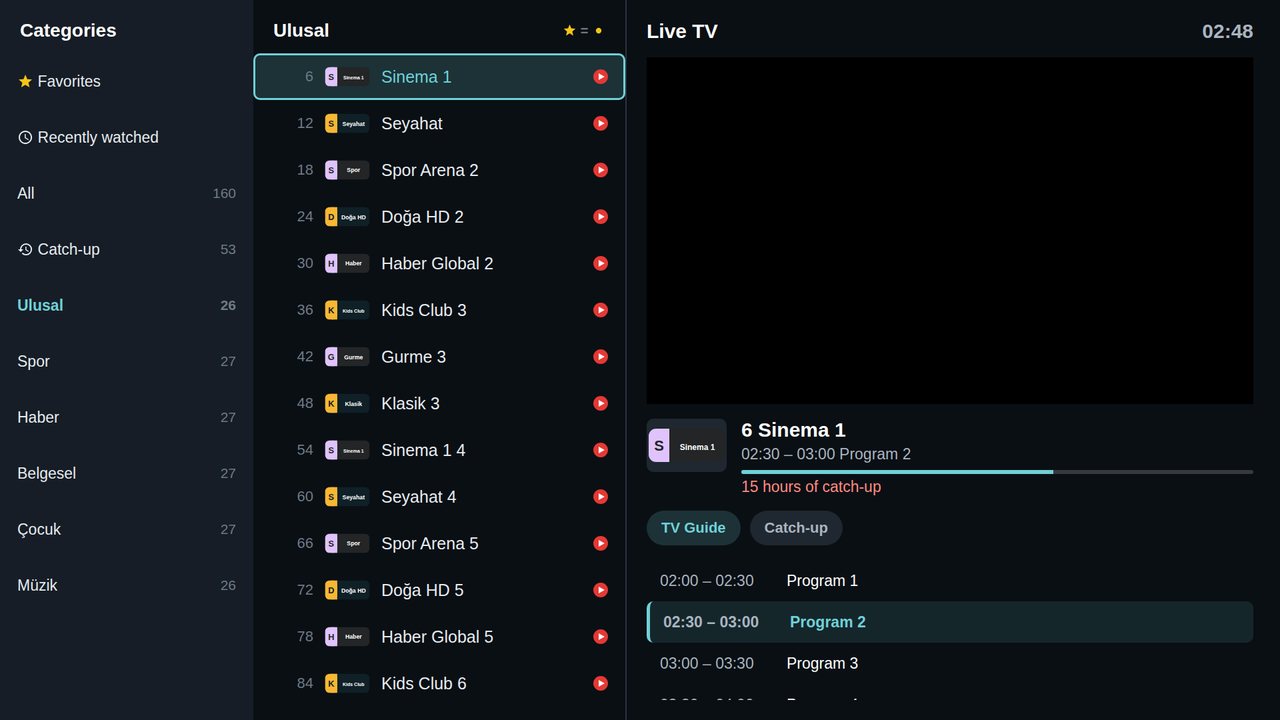
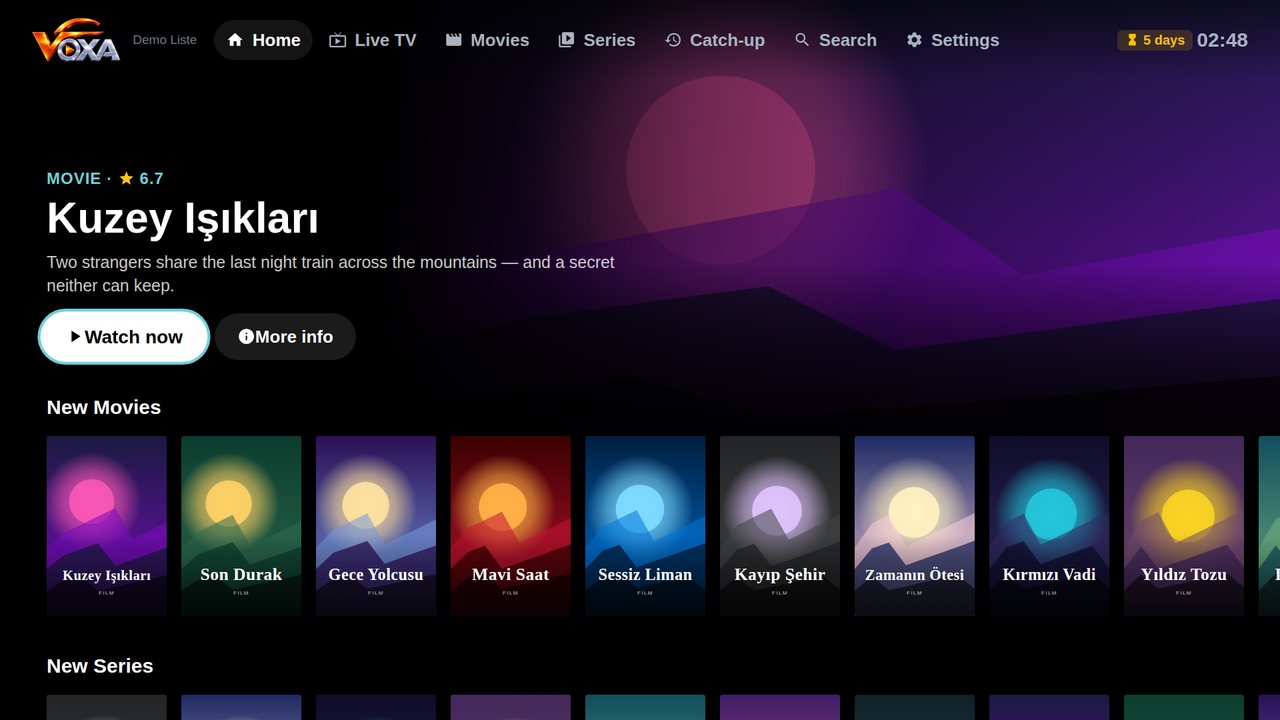
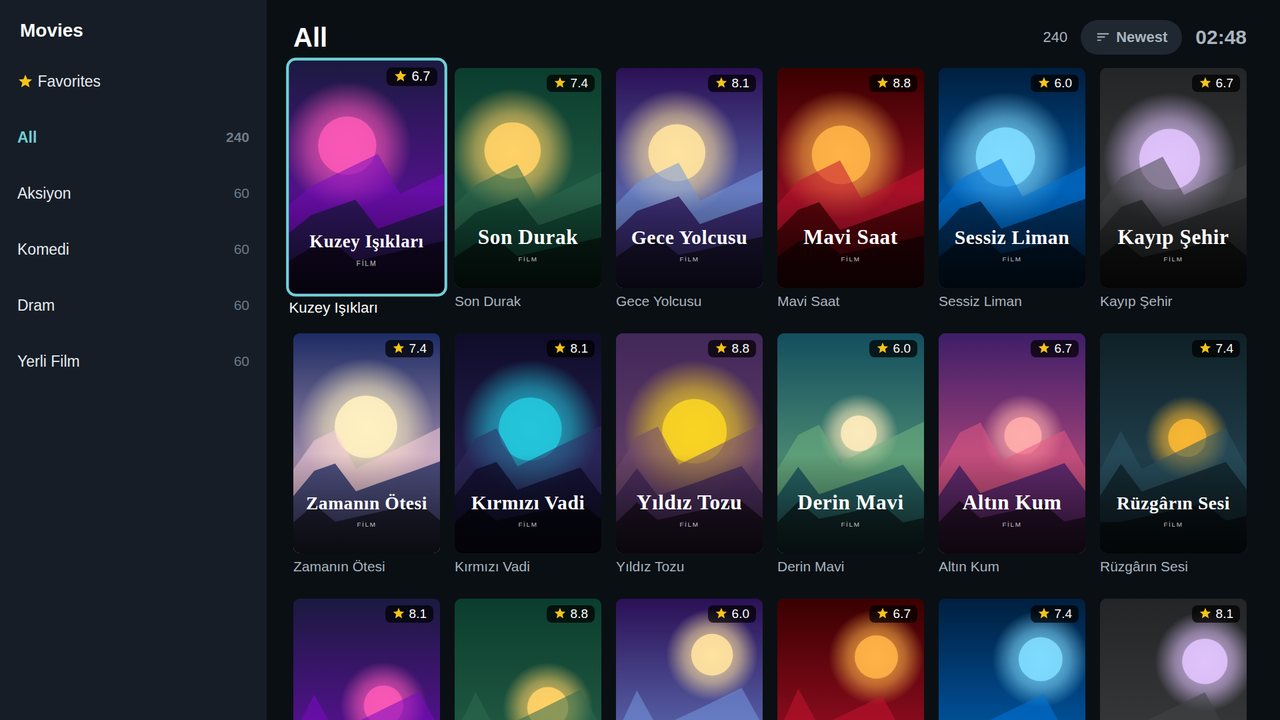
The app does not provide or sell any TV channels, movies, series or other content. To watch, you must add your own legal playlist. You alone are responsible for the legality of the content you add.
Designed for the TV
Every screen was built from scratch to be comfortable with a remote.
Live TV the way you know it
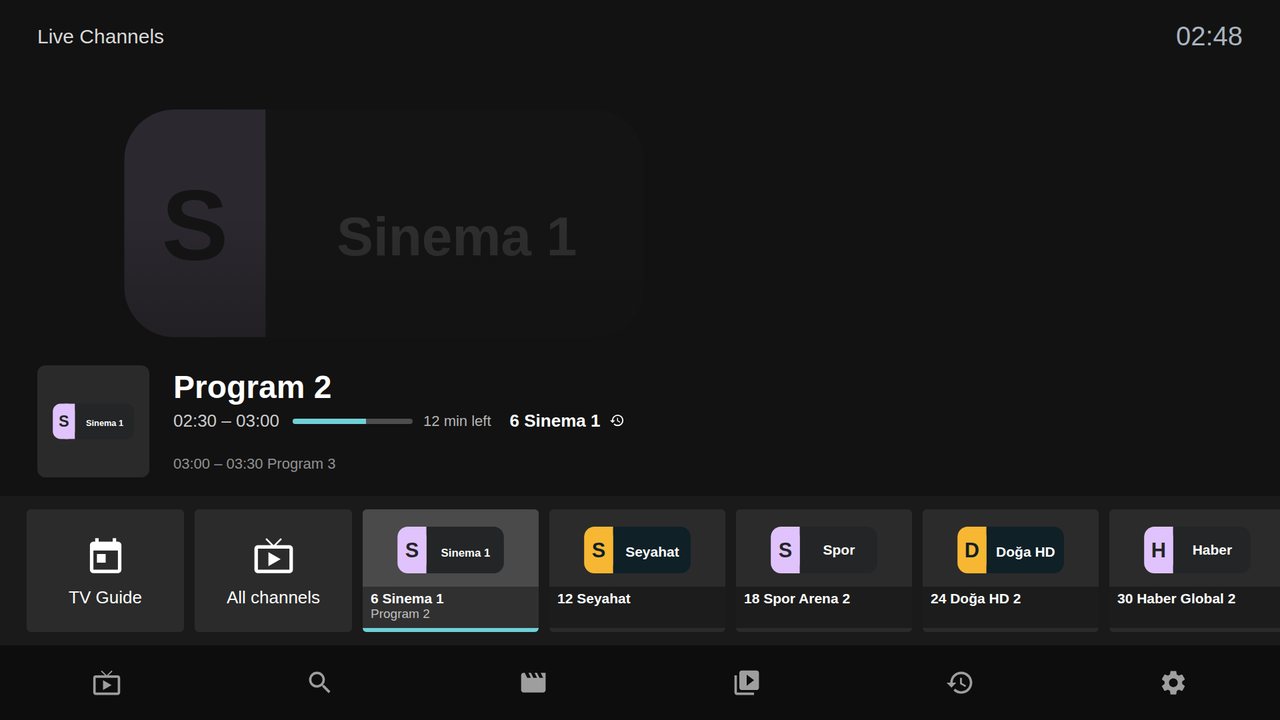
Categories, channel list and preview on one screen. Zap with up/down, jump by number, and pause or rewind live TV on archived channels.
Catch-up & pause
On archived channels, pause live TV, rewind and watch what you missed.
Movies and series
Posters, season/episode lists and resume where you left off.
TV guide (EPG)
Now and next, programme length and progress at a glance.
6 layout styles
Classic, Spotlight, Cinematic, Sparkle, Showcase and Live Focus — pick your favourite.
Remote-friendly search
Fast search across channels, movies and series with an on-screen keyboard. Parental lock included.
Choose the look that suits you
Pick the home screen you like; you can change it any time in Settings.
Get started in 3 steps
- 1
Open the app
Install Voxa Player from the LG Content Store. Your MAC address and device key are shown on screen.
- 2
Add your playlist
On your phone, open "Manage my device" on this site, sign in with MAC + key and add your playlist.
- 3
Start watching
Press "Refresh" on the TV. Try it free for 7 days, then get a licence if you like it.
Simple pricing
One-time payment. No subscription, no auto-renewal.
1 Year
one-time
- All features
- Multiple playlists (up to 10 per device)
- Free updates
- Valid for one TV
Lifetime
one-time
- All features
- Multiple playlists (up to 10 per device)
- Free updates
- Valid for one TV
The price covers the player licence only and includes no content. Try free for 7 days first.
For resellers
Activate your customers' TVs from your own panel in seconds.
Activate with credits
Enter the MAC address shown on the customer's TV; the licence opens instantly and credits are deducted.
Your own brand
TVs you activate show your logo on the start screen.
Playlist setup
Add the customer's playlist while activating.
Credits by card
Buy credit packages by card, instantly, from your panel.
Credit packages
1 year = 1 credits · lifetime = 2 credits
| 10 credits | 40,00 € | 4,00 € per credit |
| 25 credits | 90,00 € | 3,60 € per credit |
| 50 credits | 160,00 € | 3,20 € per credit |
Frequently asked questions
Does Voxa Player provide channels or content?
No. Voxa Player is only a player; it does not provide or sell any content. You must add your own legal playlist.
Where do I find my MAC address and key?
They are shown on the first screen when you open the app on your TV, and under Settings → Account & Device.
Which playlist types are supported?
Xtream Codes API (server + username + password) and M3U/M3U8 links. An EPG URL can be added optionally.
What happens when the trial ends?
After 7 days the app asks for a licence. Buy a 1-year or lifetime licence here by card, or ask your reseller to activate it.
Can I move my licence to another TV?
A licence is bound to one TV (MAC address). Contact support to change TVs.
Watch your own playlist tonight
Install the app and add your playlist with your MAC address. The first 7 days are free.